
People often call every device above an automatic door a “motion sensor”. That shortcut can create a safety mistake. The device that starts an opening cycle and the device that protects the closing path may look similar, yet they receive different settings and are checked in different ways. Understanding the distinction helps a shop, office, estate lobby, clinic or public entrance describe a fault accurately before arranging service.
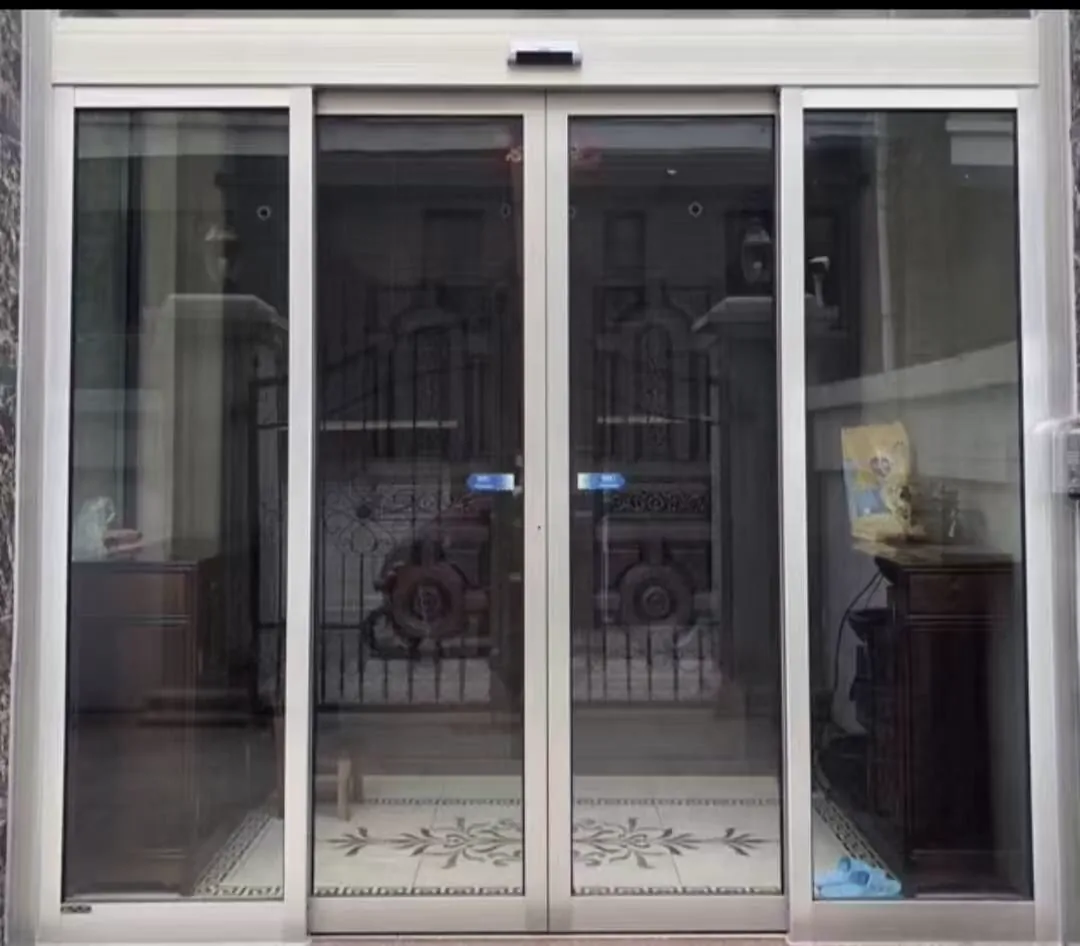
White-framed automatic entrance with visible sensor positions for discussing activation and safety coverage; no specific site is implied.
1. Two jobs at one entrance
An activation sensor is normally aimed at the approach side. It may use movement, presence or another detection method, but its practical result is an opening request. If it is too sensitive, the door can open for passing traffic, reflections or movement outside the intended approach. If it is poorly aligned or obstructed, a user may stand in front of the door without receiving a reliable opening response.
An anti-trap sensor is concerned with the doorway while the leaves are moving, especially during closing. It can cover the threshold, the space between leaves, or another defined danger area depending on the door arrangement. Its job is protective rather than convenient: it should detect a person, trolley or object in the relevant zone and cause the programmed stop or reopening response. The exact response must be confirmed for that door and control system.
- Activation sensor: requests the door to open when a person approaches.
- Anti-trap sensor: monitors the threshold or closing area and stops or reverses movement when an obstruction is detected.
- The two functions use different coverage, timing and control logic; neither should be assumed to replace the other.
2. Observable signs and first decisions
Record the sequence, not just the complaint. Note whether the door starts opening too early, opens only after repeated approaches, pauses halfway, closes slowly, or reopens several times. Also note the conditions: bright sunlight, wet glass, a crowded lobby, a trolley, a mat, or a change in nearby display boards. A pattern that appears only at a certain time or weather condition can point to an environmental influence, but it is not a diagnosis by itself.
A door that repeatedly reopens may be responding correctly to a detected obstruction, or it may have a dirty lens, unstable wiring, incorrect field size or a mechanical problem. A door that continues closing despite an object in the protected area is a higher-risk symptom. Keep the entrance supervised, use another route if available, and arrange an inspection rather than adjusting the sensor until the behaviour seems acceptable.
- Door opens with nobody nearby: suspect activation coverage, reflections, wiring or a control input before blaming the safety sensor.
- Door fails to open: observe whether the approach sensor sees the user and whether access-control permission is involved.
- Door closes onto a stationary object or does not reopen: stop using the entrance and request a safety inspection.
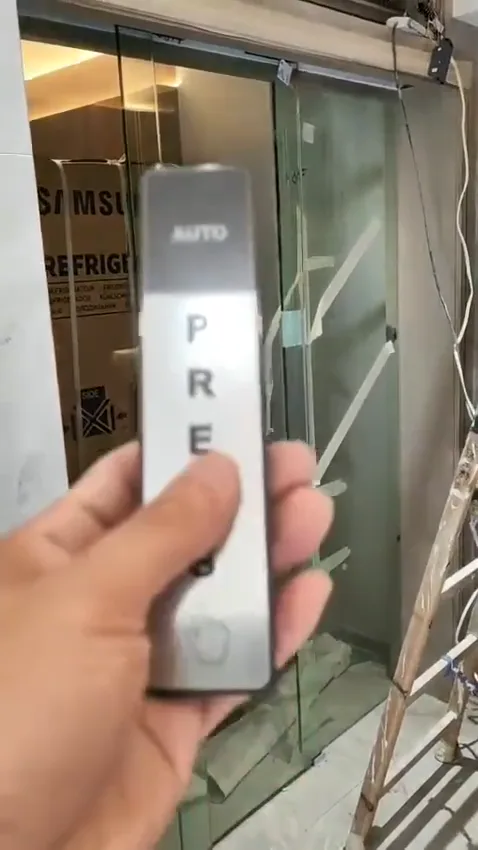
Touchless access-control demonstration showing a sensor and control interface; the image illustrates component identification only.
3. Safe checks without opening the equipment
Start with an external check. From a safe position, look at each sensor face and its approximate direction. Compare left and right sides if the entrance has paired devices. Clean only the exposed surface, keep fingers away from moving leaves, and make sure a new sign, hanging decoration or temporary queue barrier is not inside the detection area. Check that the floor mat has not curled into the path and that the door can move without a visible obstruction.
Observe one normal cycle from outside the threshold: approach, opening, passage, a brief pause and closing. Do not force the leaves, hold them back, or test by stepping into a closing gap. If there is scraping, grinding, a sharp click, delayed movement or a burning smell, stop repeated cycles and report it. These observations help a technician plan, while internal calibration and safety verification still require suitable instruments and access.
- Clean sensor faces with a suitable soft, dry cloth and remove stickers, tape or dust that block the field.
- Keep the threshold, guide area and floor mat flat and free of boxes, cables, leaves and promotional stands.
- Look for loose covers, visible impact, water marks or a sensor that has shifted from its original angle.
4. Why installation context matters
Sensor performance cannot be separated from the door it controls. A heavy or wide leaf may need a different operator setting from a light internal door. High traffic at an estate lobby or clinic creates different approach patterns from a small office. Wind pressure, air-conditioning currents, direct sunlight, rain and salt-laden air can change detection conditions. In coastal or damp locations, the suitability of materials and surface treatment deserves particular attention.
The mounting position also matters. Glass type, door framing, available headroom and the route of cables can limit where a sensor is installed. For an existing glass entrance, a technician should examine the leaves, load path, track space, frame and glass hardware before proposing changes. Do not assume a sensor can simply be moved or added without checking these interfaces.
- Door leaf weight and dimensions affect the operator’s work and the timing available for safe detection.
- Usage frequency, wind, humidity, salt air, dust, heat and nearby reflective surfaces can affect reliability.
- Noise, spare-part support and compatibility with existing access-control or fire interfaces should be considered at selection stage.
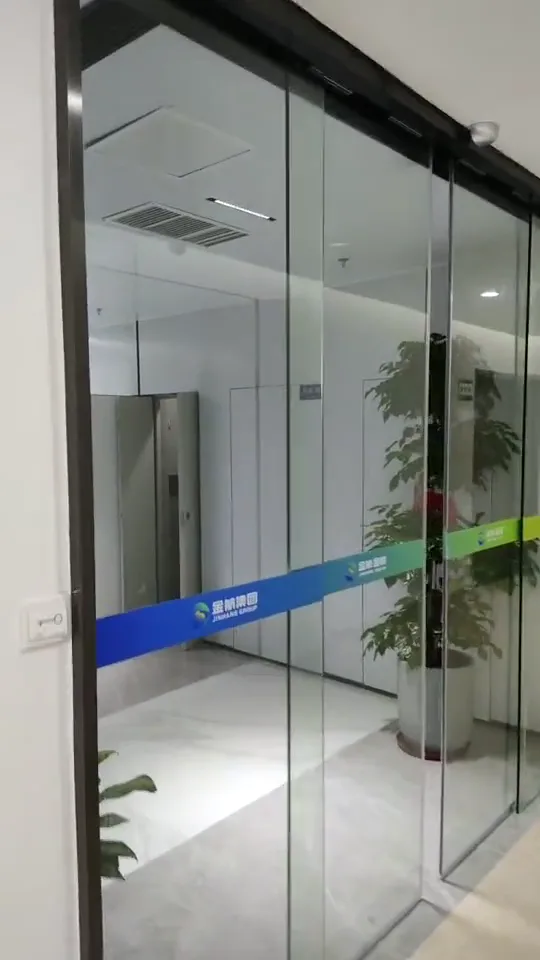
Lobby automatic-door demonstration prepared for observing opening, closing and sensor response; no client or project claim is made.
5. Testing and system decisions
A useful service visit starts with a controlled sequence. The technician can identify each sensor, check its field and mounting, inspect indicator lights and wiring, and observe how the controller reacts to activation and safety inputs. They can then relate the response to door speed, closing force, hold-open time and mechanical condition. A pass/fail impression from one approach is not enough; the coverage must match the places where a person, wheelchair, trolley or child could remain while the leaves move.
When access control, backup power or fire-related interfaces are present, the intended logic should be written down and tested as a complete sequence. For example, the question is not only “does it open?” but also what happens after a valid request, during a power interruption, and when a safety field is occupied. Any fire, escape or accessibility decision should be confirmed for the actual site by the responsible professionals; this article provides practical orientation, not a formal approval.
- Activation and safety fields should be mapped separately, then checked against the actual walking route and door swing.
- Access-control release, backup power, fire interfaces and the intended behaviour during a power failure should be agreed during design.
- If the entrance serves escape, accessibility or structural-safety needs, confirm the arrangement against site conditions and relevant professional requirements.
6. Useful evidence for remote triage
Image order matters. Start with a full entrance view so the relationship between sensors, door leaves and the walking route is clear. Follow with close-ups from several angles, keeping labels readable and avoiding glare on glass. If there is an indicator light, record its state before and during a cycle. A photo of the operator label helps identify the equipment family, but it does not confirm that every connected component is compatible or correctly programmed.
A short clip should show the approach from outside, the opening response, a person waiting clear of the threshold, and the closing behaviour. Keep the microphone on so intermittent clicking, scraping or repeated motor starts can be heard. State whether the symptom is constant or occasional and whether cleaning or moving an object changed it. Remote guidance has clear limits: it cannot measure safety fields, verify closing force, inspect hidden damage or authorise continued use of a risky entrance.
- Provide a straight-on entrance photo that shows both leaves, the header and the approach area.
- Add close-ups of every sensor, the operator model label, indicator lights and any access-control reader.
- Include a short video with sound showing the fault in a safe, normal cycle, plus notes on weather, traffic and recent changes.
7. Ongoing care and when to stop
Regular cleaning and a clear track surround make small changes easier to notice. Staff can keep a simple log with the date, weather, traffic level and observed sequence. This is especially useful in a clinic, public lobby or shop where several people may report the same symptom differently. Housekeeping should not include moving sensor brackets, changing switches or bypassing safety inputs.
Escalate promptly when the protective response is uncertain, when the door hits its stop, or when a new noise accompanies a change in movement. A temporary sign or supervised use may reduce exposure, but it is not a repair. Tell the technician what happened and preserve the scene where practical, including any object that was in the path, so the investigation starts with reliable information.
- Keep sensor faces and the area around the track clean as part of routine housekeeping.
- Log unusual noises, false activations, missed activations and changes after building work or signage.
- Arrange qualified maintenance when safety behaviour changes, not only when the door stops completely.
Common questions
Can one sensor do both jobs?
No. An activation sensor detects an approaching user and requests an opening cycle. An anti-trap sensor monitors the threshold or closing area and is intended to stop or reverse movement when someone or something is in danger. Removing one function leaves a gap in the door’s behaviour.
What can I safely check when the door behaves strangely?
First note whether the door opens when nobody is near it, fails to open for a person, or closes and then reopens repeatedly. Check that the sensor lenses and the floor area are clean, that nothing is hanging in the detection zone, and that the door path is clear. Do not reach into a moving door or change settings without the correct instructions. A technician still needs to test alignment, wiring, timing and the door mechanism.
What photos or video help with an initial diagnosis?
Provide an entrance-wide photo from straight on, close-ups of every sensor, a photo of the operator label and control-panel indicators, plus a short video showing an approach, opening, waiting in the doorway and closing. Include the sound of scraping, clicking or repeated restarting. These items help narrow the possibilities, but they cannot replace an on-site safety test.
Need help identifying a sensor?
Send a few clear photos to WhatsApp for an initial discussion: one showing the whole entrance, one close-up of each sensor, the door operator label, and a short opening-and-closing video with sound. We can then indicate what needs checking on site. Remote review cannot confirm wiring, sensor alignment, glass condition, load, or the complete safety response.